Bypassing a CD-ROM check on a 27 years old game
Fully static analysis with binary patching
Heroes III
Heroes III is a game created by 3DO in 1999 and we are going to see how they protected their game back then
No pre-patched binaries or even the original binary will be given, this little writeup will only show how to counter the CDROM check to play this game again due to of some modern PC not having a CD reader
Patching
first, let’s start the game and see what is happening without the CDROM inserted on the PC
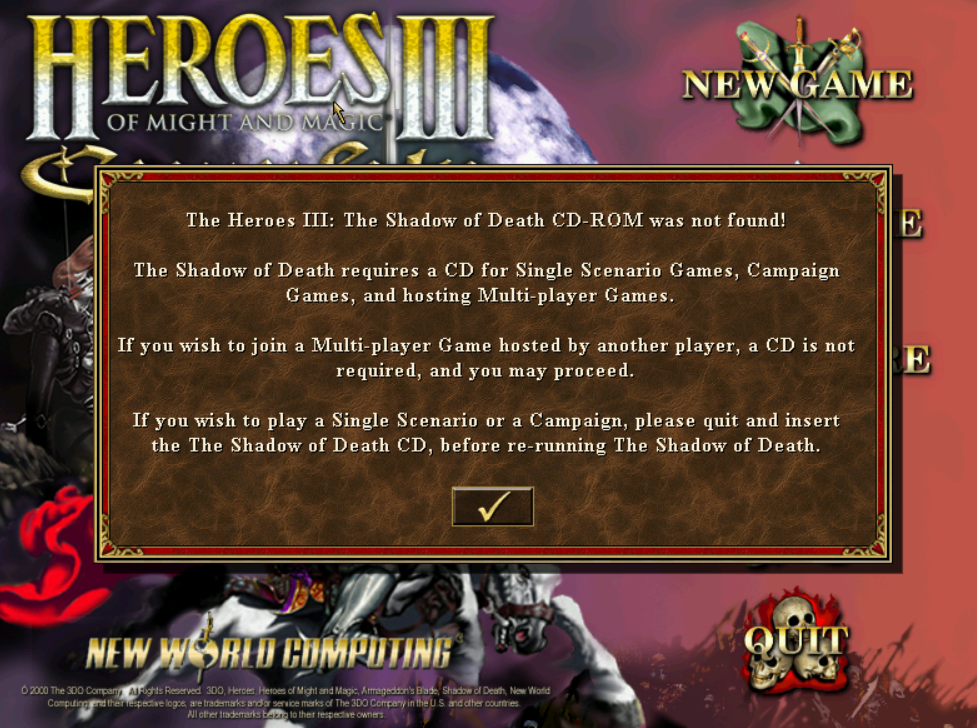
alright so we only have access to the multiplayer, let’s open up the binary in ida pro. Let’s try to search for the string “CD-ROM was not found!”

alright so we have no strings about the CD-ROM not being found so the next step is to search which WinAPI function is responsible for CD-ROM reading by searching “cdrom reading winapi” on google we quickly see this result
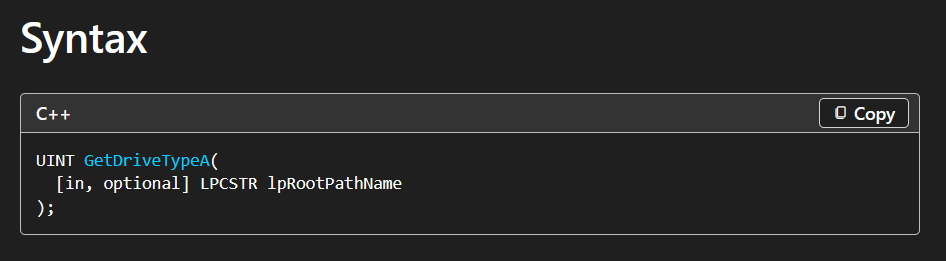
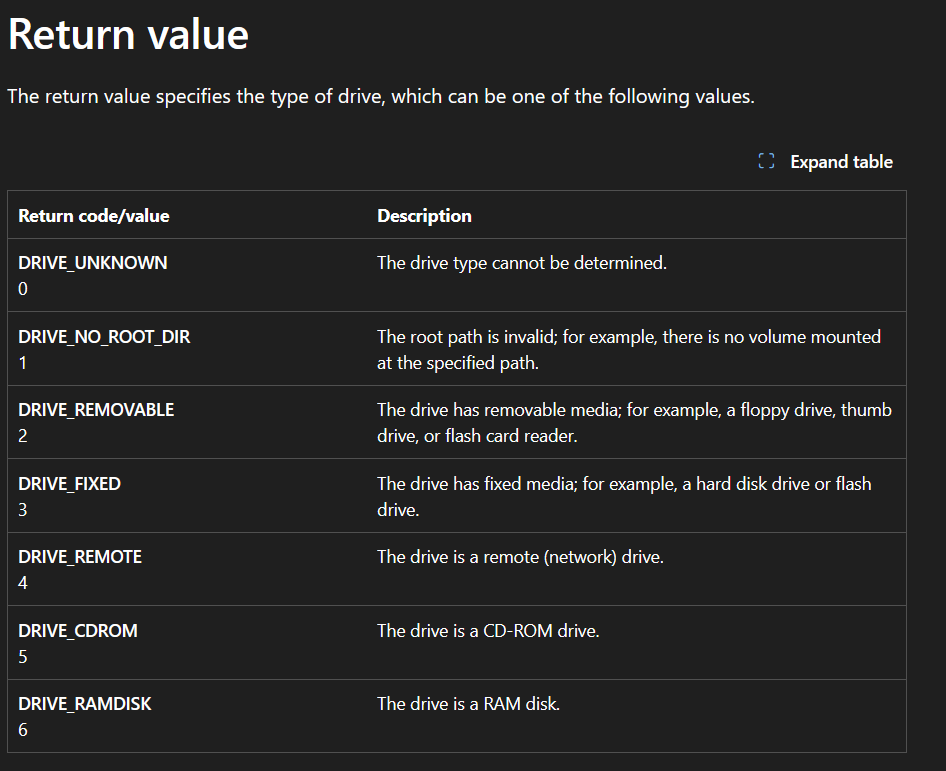
so now we have the WinAPI function which is responsible to read drives type and we also have return values, let’s try to look at which game function has a GetDriveTypeA reference
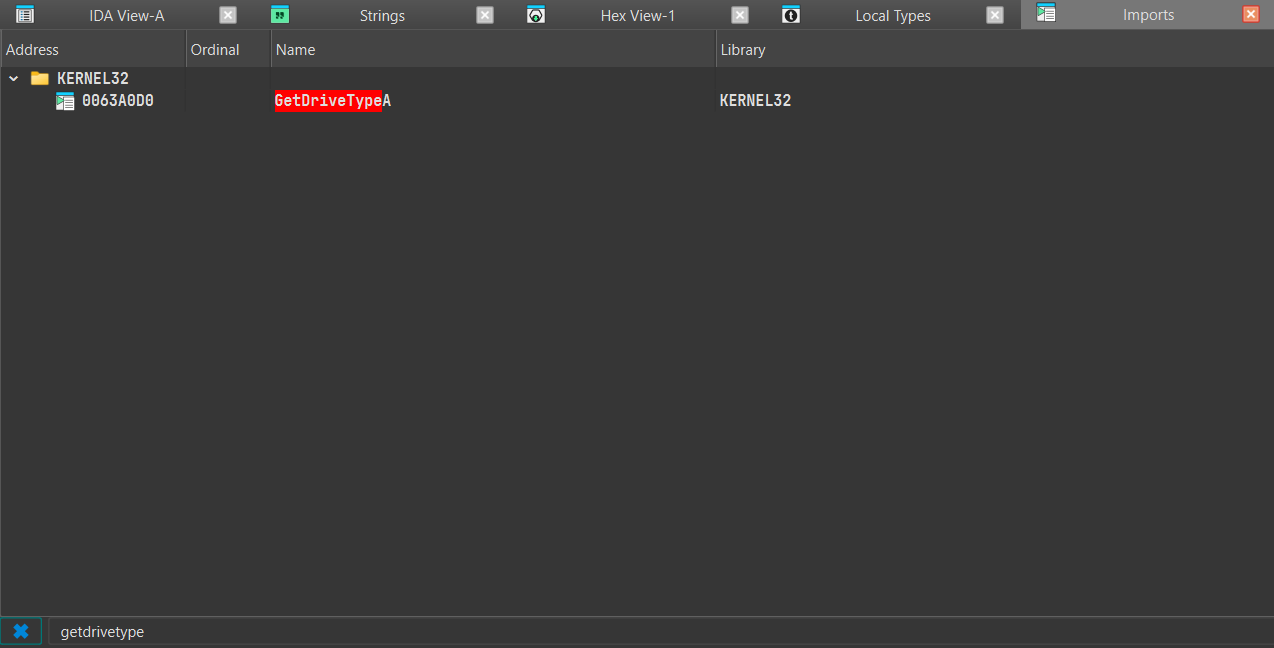
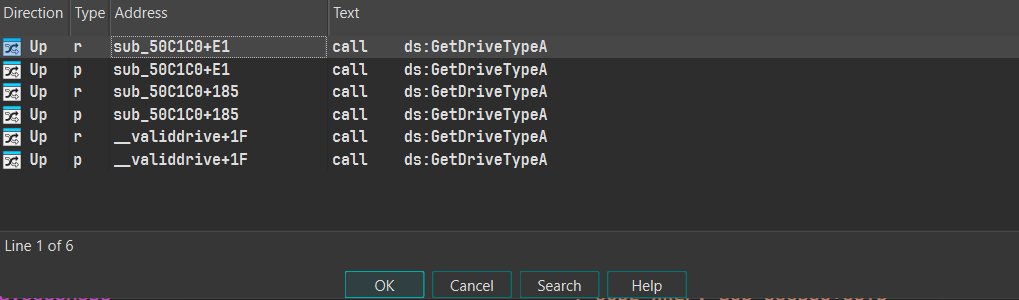
we are very lucky because we have only one function that has the GetDriveTypeA function reference what if we decompile the sub_50C1C0() function?
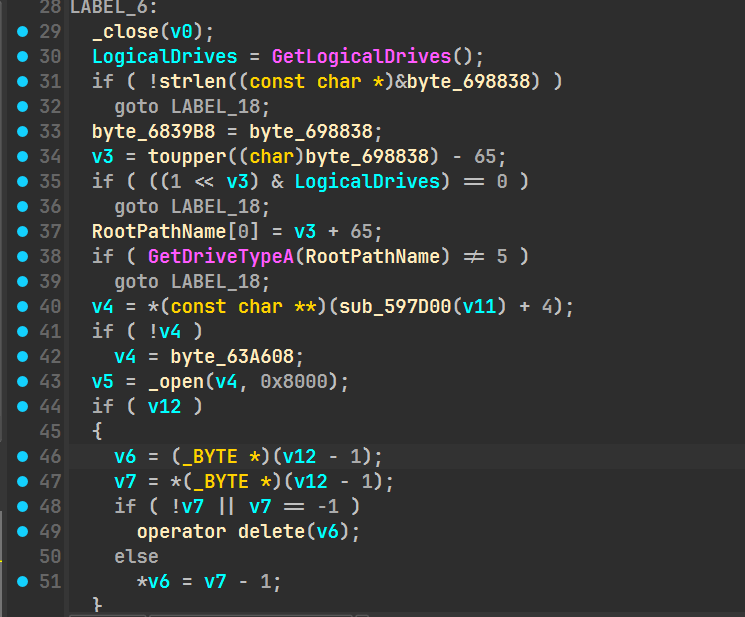
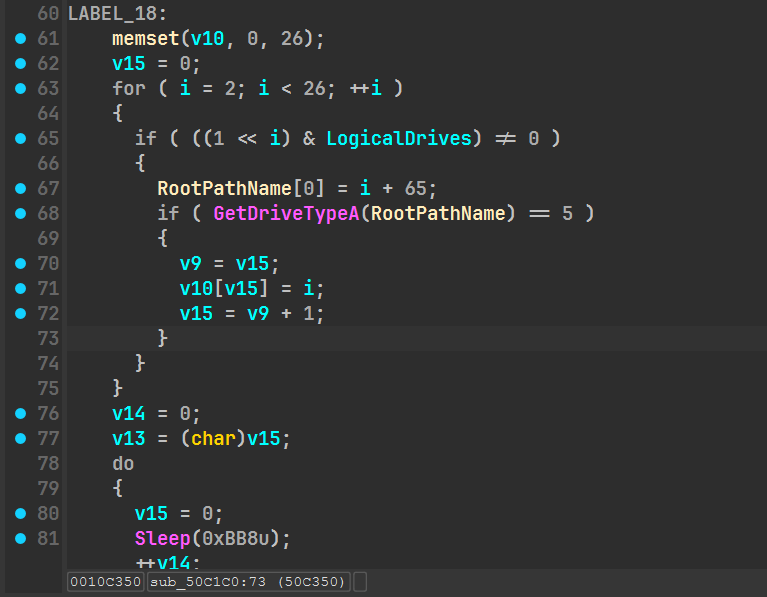
nice we can clearly see that the game is checking for a CD-ROM present GetDriveTypeA(RootPathName) != 5 and GetDriveTypeA(RootPathName) == 5 previously we have seen the return value being “5” if the type is a CD-ROM so let’s rename this function to check_cdrom. If we look closely the function logic we can see a for loop checking for every drives letters (C: to Z:):
1
2
3
4
5
6
7
8
9
10
11
12
13
14
15
16
17
18
19
20
21
22
23
24
25
26
LABEL_18:
    memset(v10, 0, 26);
    v15 = 0;
    for ( i = 2; i < 26; ++i )
    {
      if ( ((1 << i) & LogicalDrives) != 0 )
      {
        RootPathName[0] = i + 65;
        if ( GetDriveTypeA(RootPathName) == 5 )
        {
          v9 = v15;
          v10[v15] = i;
          v15 = v9 + 1;
        }
      }
    }
    v14 = 0;
    v13 = (char)v15;
    do
    {
      v15 = 0;
      Sleep(3000);
      ++v14;
    }
    while ( v14 < 2 );
    return 2;
If the game doesn’t find a CD-ROM then it retries twice for a total of 6 seconds and then returns 2 which acts as a CD-ROM not found error…
1
2
3
4
5
6
7
8
9
10
11
12
13
14
15
 v5 = _open(v4, 0x8000);
  if ( v12 )
  {
    v6 = (_BYTE *)(v12 - 1);
    v7 = *(_BYTE *)(v12 - 1);
    if ( !v7 || v7 == -1 )
      operator delete(v6);
    else
      *v6 = v7 - 1;
  }
  if ( v5 != -1 )
  {
    _close(v5);
    return 0;
  }
if the game finds a special file on the CD-ROM then it will return 0 which acts as a correct code, confirming that a legitimate game CD is present in the game, now that we know how this function works let’s see the xrefs of this function

Only one reference, it should be the game start
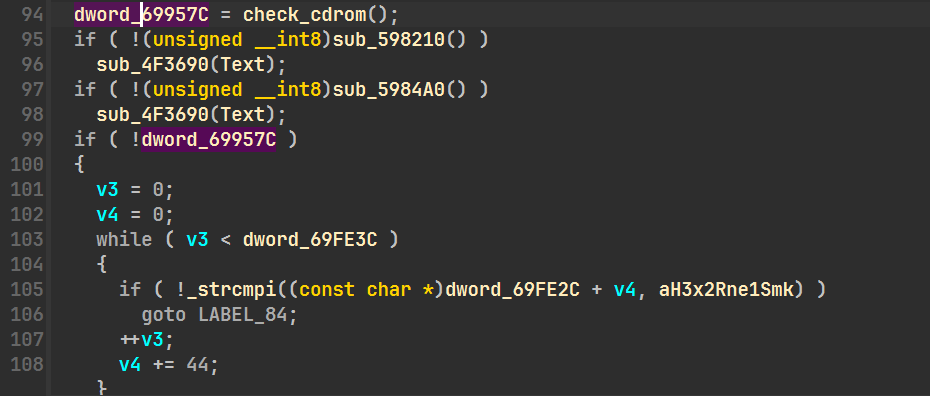
dword_69957C is really interesting because it’s where the return value is stored, looking at refs we can see multiple refs which means the game is actually checking if the disk is really legitimate or not (Anti Piracy?)

if we patch the return 2 to return 0 on the check_cdrom function it won’t work because of the multiple checks for example this one:
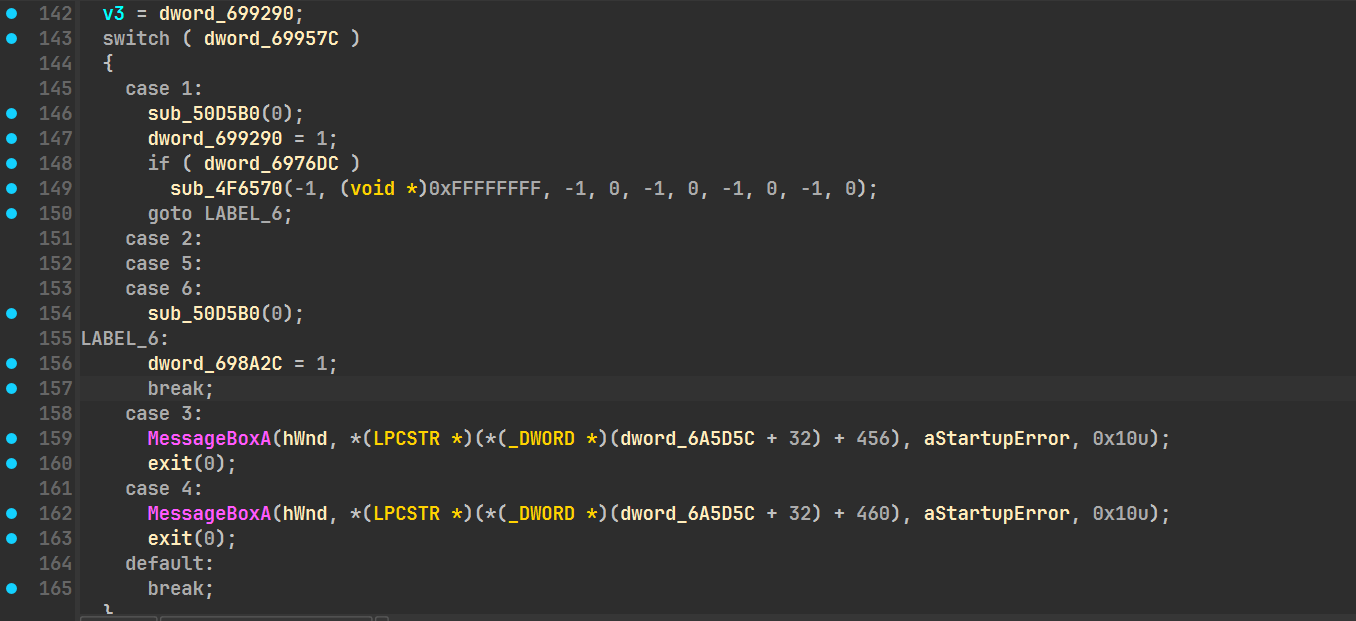
dword_699290 is the same as dword_69957C (thanks ida…) but anyways we can see a big switch case so whats my next move you’ll say? i’ll just edit the return 2 to return 9 for example because in this switch case it doesn’t have any cases for 9
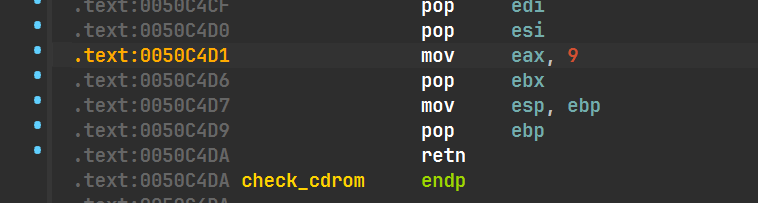
launching the game now…
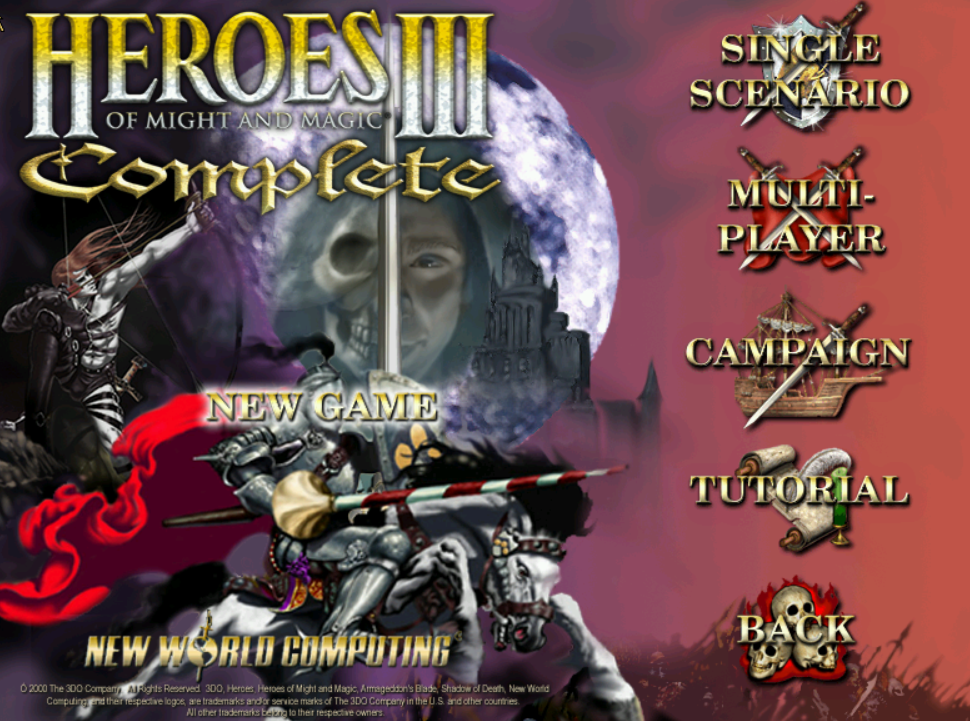
boom singleplayer is now unlocked! you can now play this old game again without any CD reader on your pc, I hope you learned new things!